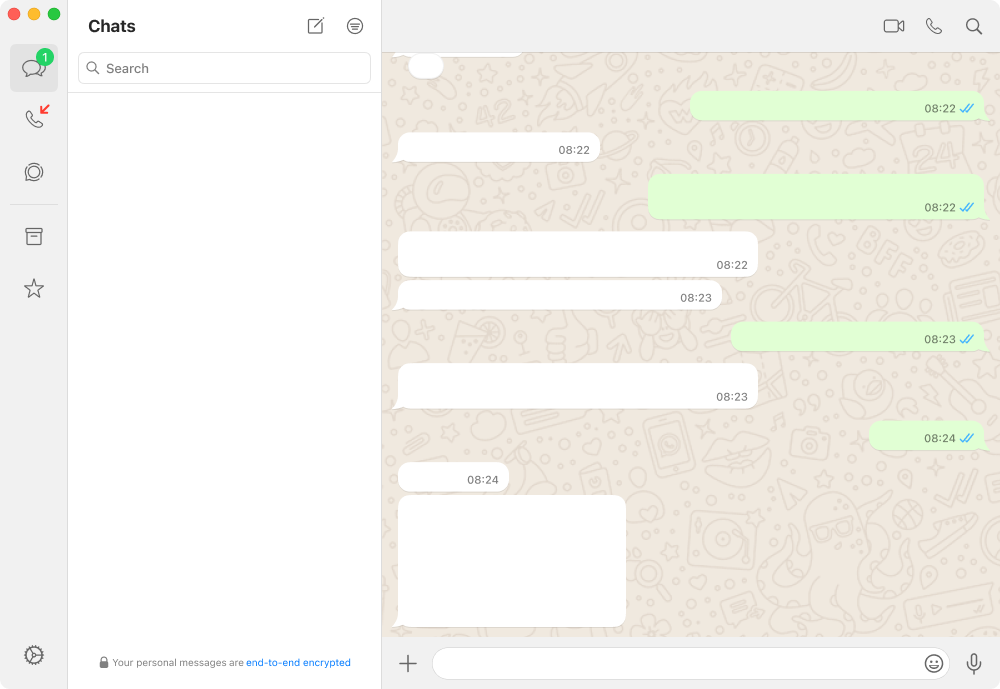


Now blurring: Hide messagesHover the screen to read
- 01
Hide WhatsApp messages until you hover over them
Blur all WhatsApp messages in a chat and reveal each one by hovering over it. Optionally keep the last 3 messages readable.
- Blur all messages in the chat
- Keep the last 3 messages readable
- Unblur everything while your mouse is over WhatsApp (browser)
- 02
Blur the last message previews in your chat list
Stop the WhatsApp chat list from showing your latest messages in plain text. WBlur blurs message previews until you hover over them.
- Last message previews for every chat
- Optionally the contact and group names too
- Optionally the profile pictures
- 03
Blur WhatsApp photos and videos
Hide WhatsApp images, videos, stickers and the media gallery on your screen. WBlur blurs them until you hover over them.
- Images, videos and stickers in chats
- The media, links and docs gallery
- Profile pictures (separate option)
- 04
Blur WhatsApp profile pictures
Hide WhatsApp profile pictures in your chat list and conversations. WBlur blurs them until you hover over them.
- The chat list
- The header of the open chat
- Group participants
- 05
Blur contact and group names in WhatsApp
Hide who you're chatting with: WBlur blurs contact names, group names and group member names in WhatsApp until you hover.
- Contact and group names in the chat list
- The name at the top of the open chat
- Sender names in group messages
- 06
Hide what you type in WhatsApp
Blur the WhatsApp message box so nobody can read what you type before you send it. Hover to check your text.
- Typing works normally: only the display is blurred
- Hover the message box to proofread before sending
- Combine it with message blurring for a fully private chat
02And also
The small things that make it work.
Last 3 messages readable
Blur everything older, keep the latest replies for context.
Media gallery
Media, links and docs stay blurred in the gallery too.
Hover to reveal
Anything under your pointer comes into focus, then blurs again.
Alt+X
Turn the browser extension on or off from the keyboard.
Nothing collected
WBlur only changes what's on your screen. No account, no tracking.
03FAQ
Questions, answered.
Does blurring photos work on the Mac app?
Yes. Give WBlur Accessibility access so it can find each photo in the WhatsApp window and blur it.
Is WBlur free?
The browser extension for Chrome, Firefox, Edge, Brave and Opera is free. The Mac app is free for 3 days, then a one-time $19 license key for up to 3 Macs, with a 14-day refund if it's not for you.
Does WBlur read or collect my messages?
No. WBlur only changes how WhatsApp looks on your screen. It does not read, store or send your messages, contacts or any information about you.
Can the other person tell that I use WBlur?
No. WBlur only blurs what is shown on your own screen. Nothing changes in WhatsApp itself, and read receipts work exactly as before.
Private by design
Keep WhatsApp open. Keep it yours.
WBlur does not collect information about you or your messages. Read the privacy policy to learn more.